
 11
11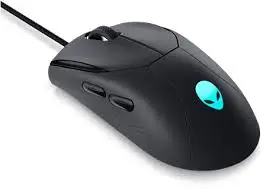
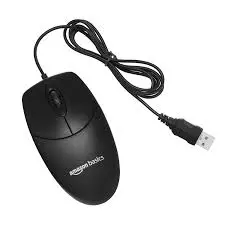
A computer is one of the most commonly used input devices in the world. It plays a major role in helping users interact with computers easily and efficiently. Whether you are working on documents, browsing the internet, designing graphics, or playing games, the makes navigation smooth and fast. many computer tasks would feel slow and complicated, especially for beginners.
A computer is a small handheld pointing device that controls the movement of the cursor on a computer screen. When you move the on a flat surface, the pointer on the screen moves in the same direction. The allows users to give commands to the computer by clicking buttons.
It is called a because early models had a wire that looked like a tail. Today, many modern mice are wireless, but the name remains the same.
used for:
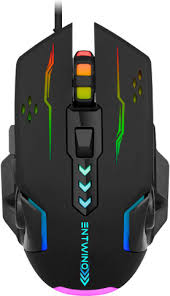
A standard computer has several important parts:
🔹 Left Button – This is the primary button used for selecting, opening files, and performing most actions.
🔹 Right Button – Used to open menus and see additional options.
🔹 Scroll Wheel – Located between the two buttons, it helps you move pages up and down quickly.
🔹 Optical Sensor – Found on the bottom of the it tracks movement and sends signals to the computer.
🔹 Cable or USB Receiver – Wired mice use a cable, while wireless mice use a small USB receiver or Bluetooth connection.
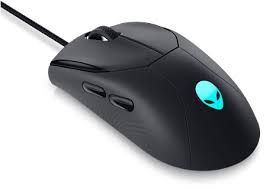
Over time, different types of mice have been developed to suit various needs:
🖱️ Mechanical – An older type that uses a rubber ball underneath to detect movement.
🖱️ Optical – Uses LED light to track movement and is very common today.
🖱️ Laser – More advanced than optical, offering higher accuracy.
🖱️ Wireless – Works without a cable using Bluetooth or a USB receiver.
🖱️ Gaming – Designed for gamers, with extra buttons and adjustable sensitivity.
A mouse works by detecting motion and translating it into signals that the computer understands. In modern optical or laser mice, a small sensor underneath shines light onto the surface. When you move the the sensor detects changes in position and sends that information to the computer.
The computer then moves the cursor on the screen accordingly. When you press a button, the sends a command, such as selecting a file or opening a program.
✔ Clicking icons to open files and software
✔ Selecting text and images
✔ Dragging and dropping files
✔ Drawing and designing in graphic software
✔ Playing computer games
✔ Browsing websites and scrolling pages
It makes working on a computer much easier compared to using only a keyboard.
⭐ Easy to learn and use
⭐ Saves time while navigating
⭐ Makes tasks more accurate
⭐ Helpful for creative work like designing
⭐ Improves overall productivity
FeatureWireless ConnectionUSB CableBluetooth/USB ReceiverPower No battery needed Requires battery/charging Movement limited by wire length Free and flexible movement Portability Less portable Easy to carry
Both types work well; the choice depends on personal preference.
The computer mouse is an essential device that makes interacting with a computer simple, fast, and efficient. From everyday tasks like browsing and typing to advanced work like designing and gaming, the plays an important role. Understanding its parts, types, and proper usage helps users work more comfortably and productively. Even with touchscreen devices becoming popular, the remains a key tool in modern computing.